Sync your CRM and accounting (and stop entering everything twice)
Your sales team can't see invoice status. Your bookkeeper retypes every customer. Here's what a real CRM-to-accounting sync looks like — and what it saves.
5 min readBy Nick Hayghe
This is one chapter of the bigger playbook — Your tools, finally working together: the integration playbook. If you haven't read it, the short version is: every kind of data gets one home, and everything else reads from it. Customer data lives in the CRM. Money data lives in accounting. This post is about the pipe between them.
Quick disclaimer: there's no AI in this post. It's a pipe between two apps. That's it, and it's worth real money.
The double-entry pain
Walk into� about any small business and you'll find the same ritual. A new customer signs on. Somebody types them into the CRM. Then somebody — sometimes the same person, sometimes the bookkeeper — types them into QuickBooks or Xero all over again. Name, address, email, phone. Every field, twice.
Then the invoice goes out, and the two systems start drifting apart. The CRM says the deal closed. Accounting knows whether it got paid. Sales doesn't. So your salesperson calls a customer to "check in" and gets an earful about the overdue invoice they knew nothing about.
invoice #1042: created in QuickBooks ✗ sales can't see the status ✗ awkward phone call ✓ (the bad kind)
Nobody's being careless. The information just lives in two places, and humans are the sync.
The hours math
Let's run it as an example. Say your team creates 8 invoices a day, and retyping the customer and invoice details into the second system takes 4 minutes each. That's 32 minutes a day — about 2.7 hours a week, or roughly 140 hours a year.
At $35/hr fully loaded, that's about $4,900 a year spent retyping things a computer could copy in a second.
And that only counts the typing. It doesn't count the time sales spends asking "hey, did they pay yet?" It doesn't count the duplicate customer records — "Acme Inc" in the CRM and "Acme, Inc." in QuickBooks — that make your reports lie to you. It doesn't count the discount sales promised that never made it onto the invoice.
What a real sync looks like
A proper CRM-to-accounting sync isn't "export a CSV on Fridays." It's boring, automatic, and invisible:
- New customer in the CRM → appears in accounting automatically. Same name, same address, same email. One record, not two.
- Invoice created in accounting → status flows back to the CRM. Open, sent, paid, overdue — sales can see it right on the customer record.
- Payment received → the CRM knows. No phone call to the bookkeeper. No guessing.
invoice #1042: paid in QuickBooks → status shows in CRM ✓ no phone call needed
Sales stops asking accounting who owes what. The CRM just knows.
Sales shouldn't have to ask accounting who owes what. The CRM should just know.
What can go wrong (and how to avoid it)
Two things trip these projects up, and both are avoidable:
Duplicate customers. If you've been double-entering for years, you probably have "Acme Inc" and "Acme, Inc." in both systems. Sync those as-is and you'll just get faster duplicates. The fix is a one-time cleanup before you connect anything — match the records, merge the doubles, then turn on the pipe. Tedious for a day, clean forever.
Which system wins. You need one rule: the CRM owns customer details, accounting owns money details. When they disagree, the owner wins. Without that rule, the sync just argues with itself.
Get those two right and the thing runs itself. This is the hub model from the playbook — one home per kind of data — applied to the two apps that fight the most.
Which direction does the data flow?
A sync isn't one pipe — it's two, and they carry different things:
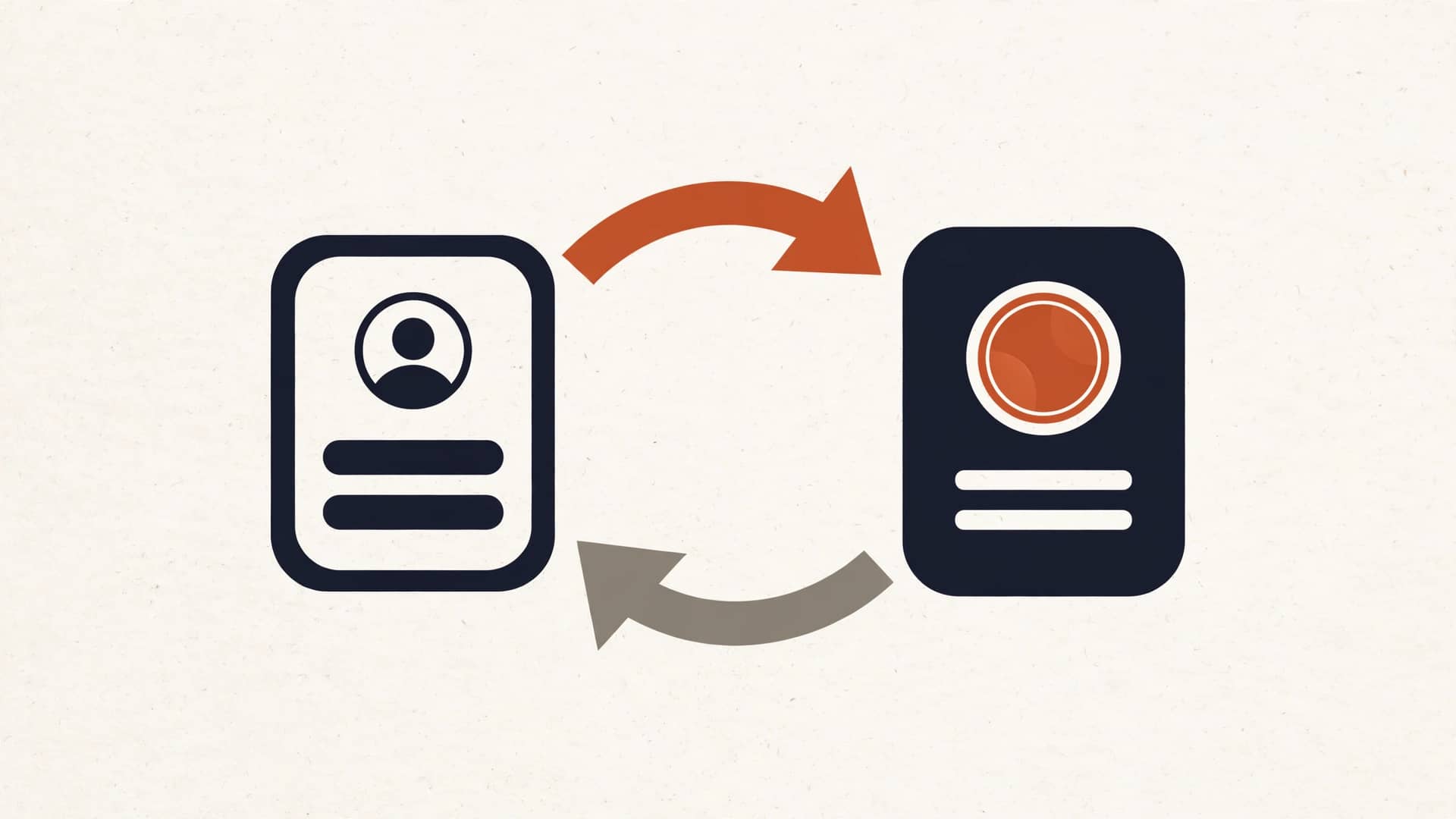
- CRM → accounting: customer records. New customer, updated address, new phone number. The CRM is the boss of who people are.
- Accounting → CRM: money records. Invoice created, invoice paid, invoice overdue. Accounting is the boss of what they owe.
This is the hub model doing its job. Each system owns its data type and borrows the other. When a salesperson opens a customer record, they see the contact info (from the CRM) and the invoice status (borrowed from accounting) in one place. When the bookkeeper opens the customer in QuickBooks, the address matches the CRM — because it came from the CRM.
Common pairings, honestly rated
Most small businesses we see run one of these combos:
- HubSpot + QuickBooks. The most common pairing. Mature connectors exist, the sync is well-trodden ground, and it just works for standard setups.
- Pipedrive + Xero. Popular with smaller service businesses. Clean sync, fewer bells and whistles, lower cost on both sides.
- Jobber + QuickBooks. Built for field services — the job and the invoice are already linked in Jobber, so the sync mostly keeps customer records and payment status aligned.
The specific apps matter less than the pattern. If your CRM and your accounting app both have real APIs — and these days, nearly all of them do — the pipe is straightforward. The hard part was never the technology. It was the duplicate cleanup and the "who wins" rule from the last section.
The payback
Add it up from the earlier math: about 140 hours a year of retyping at $35/hr is roughly $4,900. A standard CRM-to-accounting sync is a fixed-price build — our Connect projects start at $3,500 — which puts the payback somewhere around eight or nine months. After that, it's $4,900 a year back in your pocket, every year, plus the mistakes that stop happening.
That's the math we put on paper before we build anything. If your volume is lower and the payback stretches past a year, we'll tell you to keep typing. We'd rather lose the job than sell you a pipe that doesn't pay.
The objection: "Our bookkeeper likes doing it manually"
We hear this one a lot, and we take it seriously. But here's the reframe: your bookkeeper didn't go to school to retype names and addresses. The sync doesn't replace them — it hands them back 140 hours a year to do actual bookkeeping: reconciling, reviewing, catching the stuff that matters. The robot does the copying. The human does the thinking.
That's not a staffing problem. It's a wiring problem.
Get a free tool-stack audit
Curious what the double-entry is costing you? We'll map your CRM and accounting setup, run the math, and tell you plainly whether a sync pays for itself. Book a free tool-stack audit